Now that your client has paid crypto into your Crane wallet, the next step is to convert your earnings into naira to enable seamless withdrawal to your local bank account.
How to convert crypto to naira on Crane
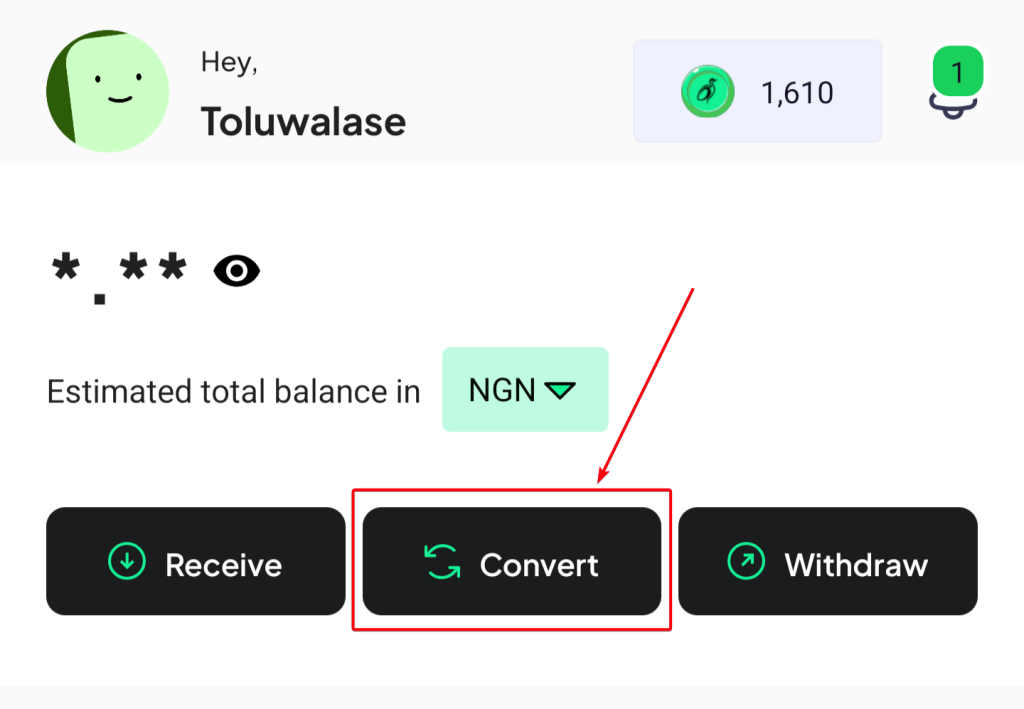
Step 1: Click “Convert” on the Crane app’s homepage.
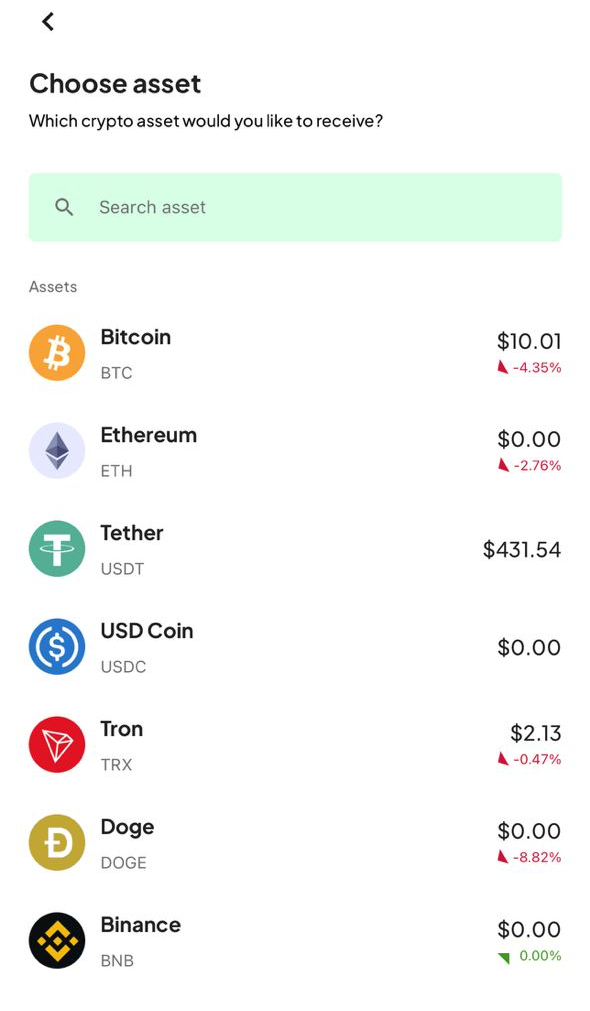
Step 2: Select the cryptocurrency (or digital asset) you want to convert. The seven digital assets shown in the image below are the ones you can convert to naira on Crane. By extension, they’re also the cryptocurrencies you can use to receive payments on the Crane app.
We selected BTC for this guide.
Step 3: Input the amount of BTC (or any digital asset) you want to convert. You can specify the value you want to convert in BTC or USD. You’ll see the naira equivalent of the value automatically. Click Continue.

Step 4: You’ll see the preview page that shows the dollar value (we use the current exchange rate on the foreign exchange market) and the naira equivalent of the digital currency (BTC in this case) you want to convert. You’ll also see Crane’s charges (usually 2% of the transaction volume) for optimum transparency.
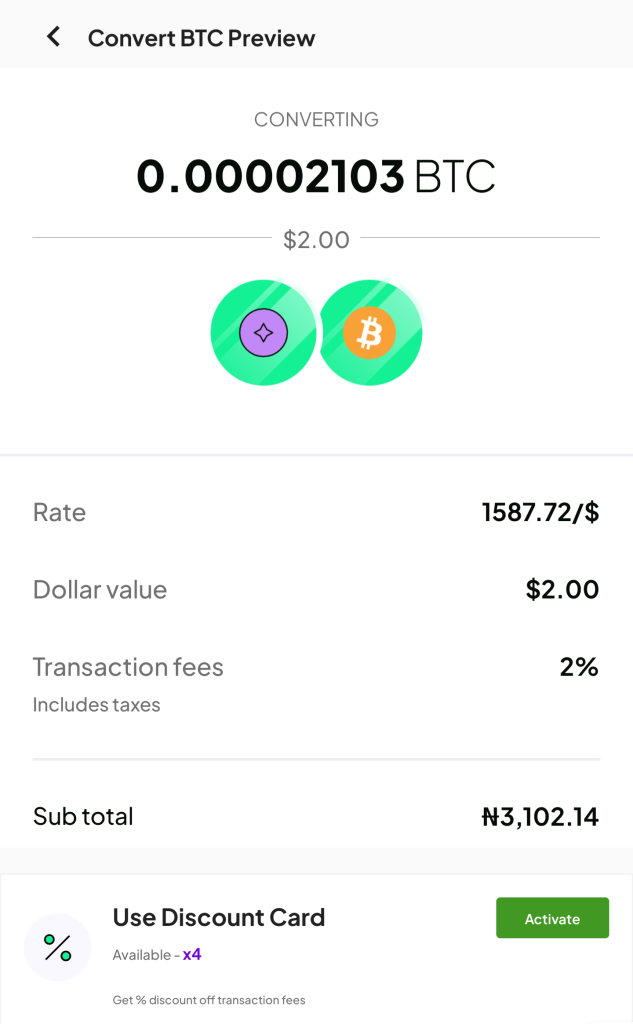
Click Activate at the bottom of the Convert BTC Preview page to receive 25%-100% discount cards off the transaction fees.

After clicking “confirm,” add your private 4-digit transaction pin on the preview page.
Step 5: You’ll receive a confirmation message stating the success of your conversion and other relevant bonuses like Crane Coins (CNC) and Experience Points (Xpts).
What about Auto-Convert on Crane?
What if you don’t want to convert crypto manually? This is where our Auto-Convert feature comes in to automate crypto-to-naira conversions.
You can configure the conversion when the crypto exceeds or drops below a particular rate. The feature helps you avoid the volatility of the crypto market and prevent loss.
Follow the steps below to configure Auto-Convert on Crane:
- Click on Auto-Convert on Crane’s homepage
- Click on Create New
- Input the digital asset you want to convert, the conditions (auto-convert above or below the current rate), the rate amount, and the volume you want to convert.
- Click Create order
FAQs about crypto to naira conversions on Crane
1. What are discount cards on Crane?
Discount cards reduce the amount you’ll pay to convert crypto to naira. It reduces the conversion fee by 25%-100 % when activated. Every user receives five discount cards, each worth 25%, upon sign-up.
2. How much does it cost to convert crypto to naira on Crane?
Crane charges 2% of the transaction volume as the conversion fee.
3. How do I withdraw from my Crane naira wallet into my local bank account?
After converting crypto to naira, it stays in your digital naira wallet on Crane. Follow the steps below to withdraw from your Crane digital wallet to your local bank account.
- Click on Withdraw on the Crane homepage
- Fill the bank details
- Select withdraw
Withdrawals to local banks are completed in 60 seconds or less on Crane. Contact [email protected] should you experience any delays.